Deprecated: Function WP_Dependencies->add_data() was called with an argument that is deprecated since version 6.9.0! IE conditional comments are ignored by all supported browsers. in /home/waysseab/staging-help.metashare.com/wp-includes/functions.php on line 6131

How do I find a column’s internal name?

You find a site column’s internal name by:

  1. Open a site content type where the column is used.
  2. Click on the site column whose internal name  you want to find, in this example the “Keyword” column:
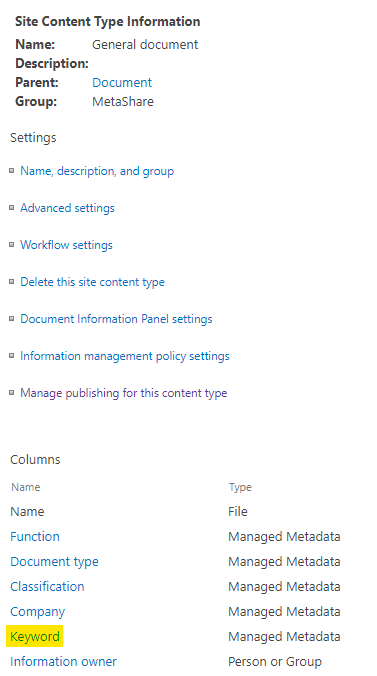
    A site content type's settings page
  3.  In the column’s page, click on the link “Edit site column”:
    Click on the "Edit site column" link
  4. The internal name is displayed in the web browser’s address bar after the query string “&Field=”:
    Find the internal name in the query string
    In the example above the site column’s internal name is: Keyword
This site is registered on wpml.org as a development site. Switch to a production site key to remove this banner.